






Home › Forums › Product Discussion & Questions › BeoLab › Beolab 2500 to MX4000 connecting
Tagged: Beolab 2500 MX4000
- This topic has 2 replies, 2 voices, and was last updated 3 weeks, 5 days ago by

-
AuthorPosts
-
6 February 2026 at 08:24 #73294
Hello to all B&O fans on this wonderful forum,
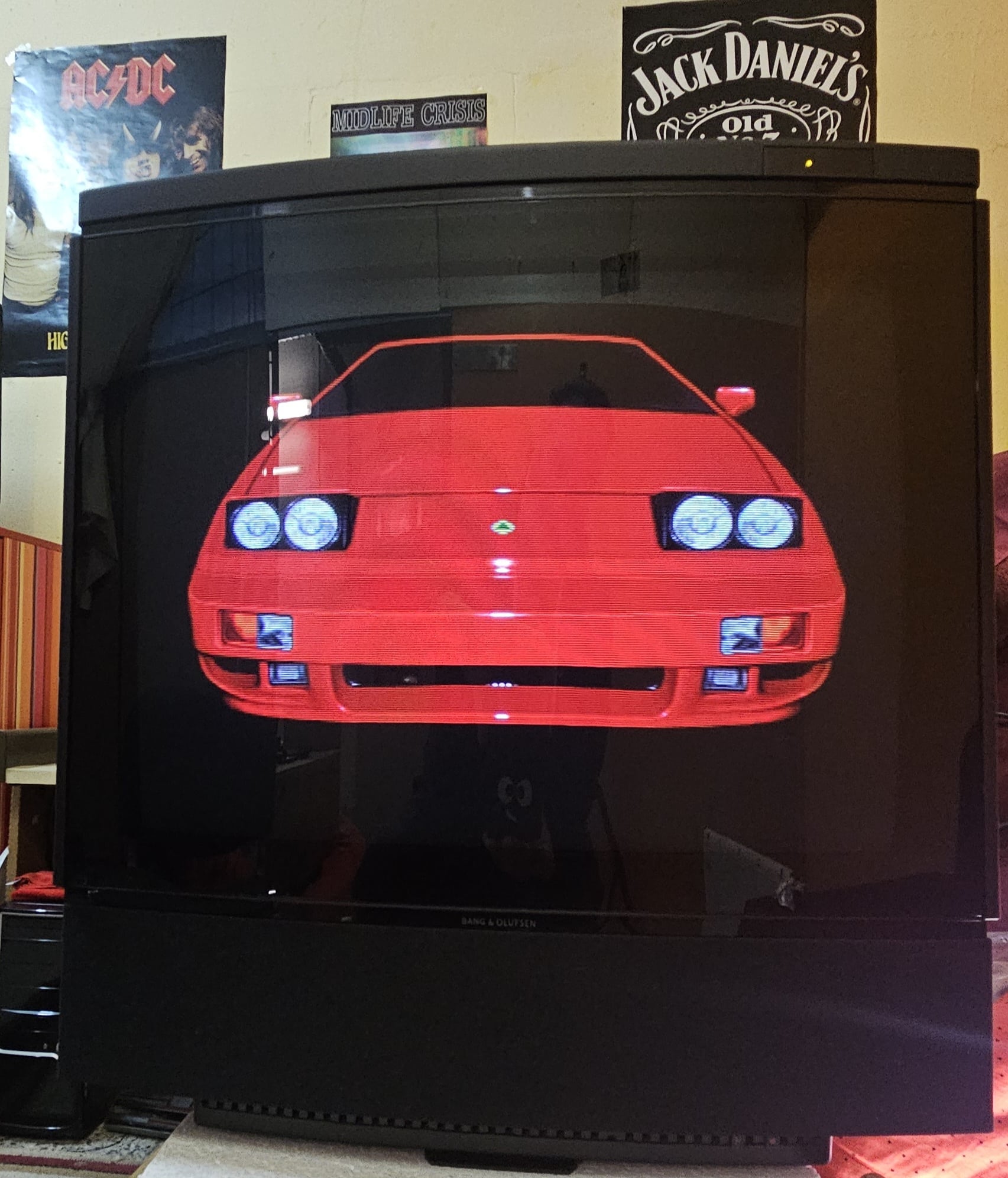
I am a proud owner of Beovision MX4000 SW 4.7. that is for now primarily used with Commodore Amiga 500 for “reliving childhood” sessions with my friends. After trying various CRTs I fell in love with this beautiful set. Trinitrons beat it in geometry, but the look and picture quality of this set is just great. Also very easy on the eyes for CRT.
I would need some help please. After searching through the forum I just can’t find info about my recently acquired Beolab 2500 speakers.
The speakers were part of Beosound set. Speakers came with two power cables and two 5 pin powerlink cables. Are those the right cables? Can I use them?
So just to be sure to not mess up please advise me if I l am thinking right about connecting them to MX4000.
Powerlink from speaker into power link on TV (left+right). Speaker independently into power outlet. PL on TV on.
Is this the right way to connect them?
Any other settings on TV? Will the built in speaker also remain working?
Thanks for all the help in advance.
Kind regards,
Tomi
Favourite Product: Beovision MX4000 + Beolab 2500
Signature: Amiga + B&O LoVe ❤️
6 February 2026 at 08:47 #73295 MadskpGOLD Member
Hello and congrats on your Beolab 2500 Speakers.
The speakers were part of Beosound set. Speakers came with two power cables and two 5 pin powerlink cables. Are those the right cables? Can I use them?
So just to be sure to not mess up please advise me if I l am thinking right about connecting them to MX4000.
Powerlink from speaker into power link on TV (left+right). Speaker independently into power outlet. PL on TV on.
This should be the correct way to do it yes. Powerlink cables are often 8 Pin, but the extra pins are not needed for the Beolab 2500 speakers (my own Beolab 2500 also have 5 Pin connectors on the cables).
Any other settings on TV? Will the built in speaker also remain working?
According to the user manual you will get a new menu called speaker in the sound menu when you connect powerlink speakers. There you should be able to select 1 for internal speakers, 2 for external speakers and 3 for both internal and external speakers.
Hope this will get you some extra sound for your gaming
Location: Denmark
6 February 2026 at 08:59 #73296Hello,
Thank you for your fast reply. Ok I’ll try them out today and post my impressions. All that you wrote sounds great.
I was able to test them with beosound ouverture and they sounded nice. I did pay two times more than for TV(got tv pretty cheap) but I think it will well worth it 😉
I will provide feedback soon.
Regards,
Tomi
Favourite Product: Beovision MX4000 + Beolab 2500
Signature: Amiga + B&O LoVe ❤️
-
AuthorPosts

- You must be logged in to reply to this topic.