






Home › Forums › Product Discussion & Questions › BeoCenter › BeoCenter 8000 MK2 (Type 2) Cassette Deck Belt Replacement
- This topic has 8 replies, 2 voices, and was last updated 3 months, 3 weeks ago by


-
AuthorPosts
-
23 November 2025 at 06:43 #71492
 rjnicko93BRONZE Member
Hi all,
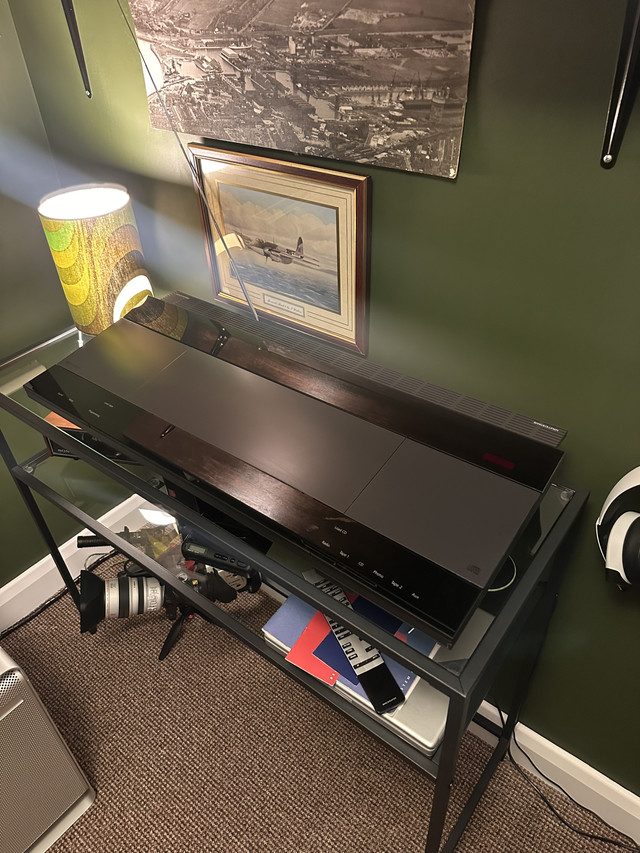
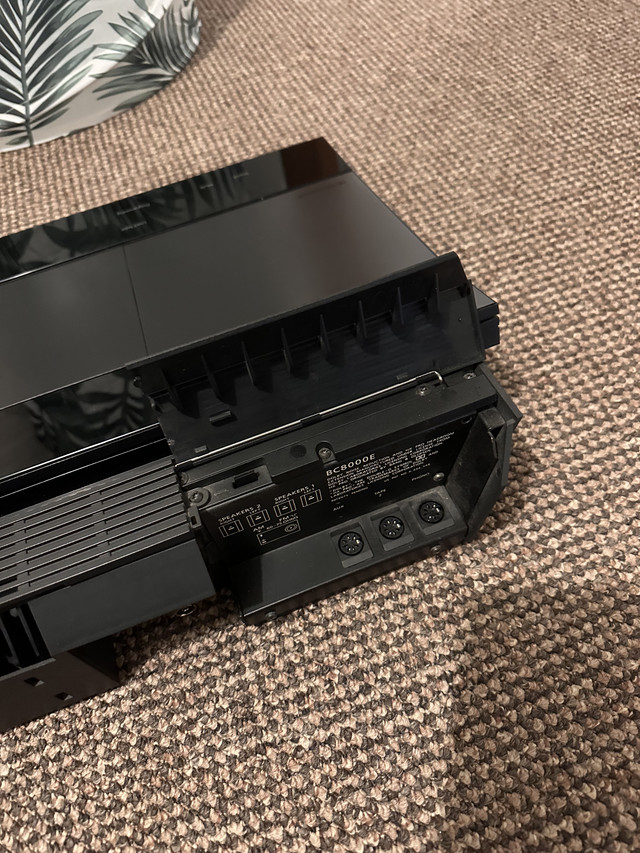
Got a nice little Beohaul I collected yesterday set included RL1000 Speakers, TX-2 Turntable with a soundsmith MMC4, Beo 4 Remote and a Beolink 1000 remote. Along with all the user manuals and a beautiful Beocenter 8000 music centre. I plan to use the music centre in the Home Office and it sounds great. The only thing not working is the Tape deck which I can hear try to engage but nothing happens. The belts have turned to goo inside and bit are actually dropping through the bottom of it.
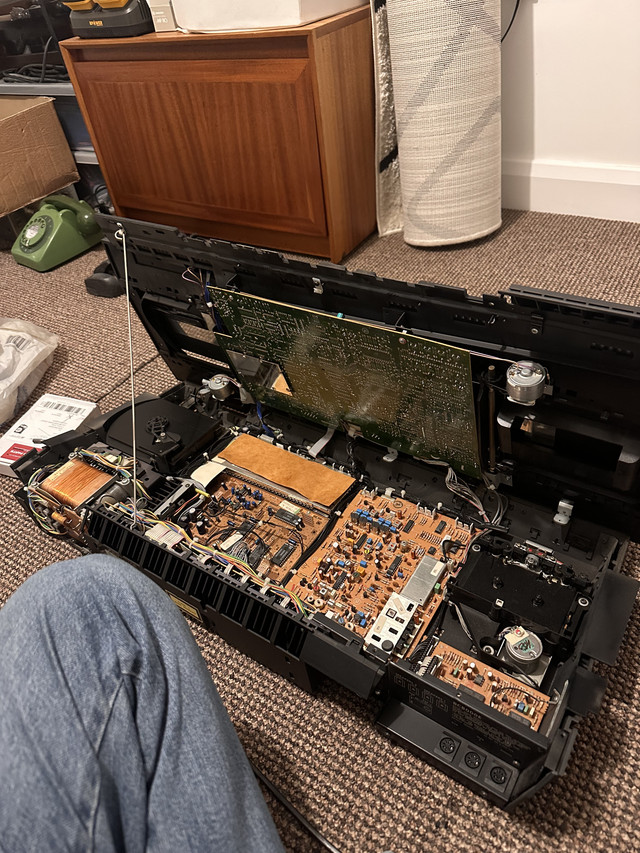
Rather predictably the Tape transport in my unit is the Type 2, which uses 3 belts of different sizes. I was hoping before I collected it would be the earlier one which just uses one belt.
I just wondered if anyone knew of a good quality how too guide/Youtube video which shows the belt replacement in on this particular tape transport type so I can understand and see the belt path as I don’t really have anything to work with for reference.
I have done belts before in other Hifi system and also my Beocord 8000, but that was easy and took all of 15/20 minutes.
Its surprising the video is proving a bit difficult to find as this transport seems to have been used in an awful lot of B&O systems..
Beocenter 8000
Beocenter 8500
Beocenter 9000
Beocenter 9300
Beocenter 9500Beocord 3500
Beocord 4500
Beocord 5500
Beocord 6500
Beocord 7000I hope someone can help
thanks
Ryan
Attachments:
You must be logged in to view attached files.Location: United Kingdom
Favourite Product: Beomaster 6000 Quad
My B&O Icons:
 23 November 2025 at 08:15 #71507
I have replaced the belts on that type of tape deck a few times, my first time being on a Beocenter 8000 like yours, and again only recently on a Beocord 6500. The only useful video I found was this one – Bang & Olufsen Beocord 4500 Cassette deck trouble shooting and new belts.
The video doesn’t go into exact detail but it should help. The large belt is the difficult one, and it took me a few attempts to get it to loop around the small plastic wheel each time.
Note that there is another common fault with that type of tape deck which I also experienced on the Beocenter 8000. Dillen helped me solve that a couple of years ago, see this post for the solution, in case you encounter it – Beocenter 8000 tape deck clicking issue – BeoWorld Forum
For that clicking issue, I used a shaving of plastic which was probably only about 0.25mm thick, and glued it on using plastic glue. I worked, and still works now.
Location: Liverpool
My B&O Icons:
27 November 2025 at 21:52 #71569rjnicko93BRONZE MemberI have replaced the belts on that type of tape deck a few times, my first time being on a Beocenter 8000 like yours, and again only recently on a Beocord 6500. The only useful video I found was this one – Bang & Olufsen Beocord 4500 Cassette deck trouble shooting and new belts.
The video doesn’t go into exact detail but it should help. The large belt is the difficult one, and it took me a few attempts to get it to loop around the small plastic wheel each time.
Note that there is another common fault with that type of tape deck which I also experienced on the Beocenter 8000. Dillen helped me solve that a couple of years ago, see this post for the solution, in case you encounter it – Beocenter 8000 tape deck clicking issue – BeoWorld Forum
For that clicking issue, I used a shaving of plastic which was probably only about 0.25mm thick, and glued it on using plastic glue. I worked, and still works now.
Hi Charlie
thanks for the help and advice the other day. I swapped the belts this evening this is what issues I am having so far.
Side 1 – sounds dreadful, the speed is all over the place and it sounds very wobbly as if something for a millisecond is slipping somewhere in the transport??
When it gets to side 2 the clicking you advised of is present and is coming from the transport itself, but listening to the audio via a pair of headphones the audio quality is absolutely amazing, NO flutter or wow or anything at all. I even tried it with Piano music and I can’t hear it at all.
Is there anything else I need to look for I still have the top off and will carry on tomorrow after work.
It’s just a bit odd side 1 sounds so dreadful, but side 2 sounds good. At this point I was wondering if the pinch roller for Side 1 playback is maybe really warn, but it looks fine on inspection.
Location: United Kingdom
Favourite Product: Beomaster 6000 Quad
My B&O Icons:
28 November 2025 at 07:37 #71572It’s a while since I fixed my BC8000 cassette deck that required that particular clicking fix, but re-reading my post in this forum aty the time, where I got the adice that allowed me to fix it, and did mention at the time that I got speed issues on side 1, but clicking on side 2. Your side 1 problem sounds a little worse than mine, but I think the same fault is causing both issues, so I would recommend that fix – Beocenter 8000 tape deck clicking issue – BeoWorld Forum.
Location: Liverpool
My B&O Icons:
28 November 2025 at 10:44 #71573rjnicko93BRONZE MemberIt’s a while since I fixed my BC8000 cassette deck that required that particular clicking fix, but re-reading my post in this forum aty the time, where I got the adice that allowed me to fix it, and did mention at the time that I got speed issues on side 1, but clicking on side 2. Your side 1 problem sounds a little worse than mine, but I think the same fault is causing both issues, so I would recommend that fix – Beocenter 8000 tape deck clicking issue – BeoWorld Forum.
Hi Charlie
thanks for this.
my plan tonight is take it a part again and go more to town with IPA on everything (thought I got the black gunk off) but maybe not and begin again with it
This clicking fix then does the little bit of card need to be glued & added to the metal portion (what slides up and down) with it remove from the transport itself or can it be glued in place in while situ? I am not sure if I wanna disturb all the little springs holding it in place if i can avoid that.
what exactly does it stop clicking btw?
best regards
Ryan
Location: United Kingdom
Favourite Product: Beomaster 6000 Quad
My B&O Icons:
28 November 2025 at 15:58 #71575When I glued a little price of plastic on to mine, I did not remove the metal part, I did it very careful with some quick drying glue specifically intended for plastic, and the piece of plastic was a bit of an old credit card I shaved thin (only a fraction of a mm was needed) with a scalpel. It took me three attempts. My first attempt the price of plastic I added was a bit too thick. The second attempt worked for a bit, but came loose. The third attempt I used more glue, and that worked. It took a good bit of patience with a pair of tweezers, but I got it glued on in the end.
You see the white plastic part that sits beneath the metal part, and it moves up and down? Well. that is moving to far down while the tape is playing, and it causes the little white cog connected to it to click, because it’s not quite in the right position, and it catches on another part (I’m saying this all from memory, mind!). I believe that same issue is causing the speed control issue when you play side 1 too.
Location: Liverpool
My B&O Icons:
28 November 2025 at 22:44 #71576rjnicko93BRONZE MemberWhen I glued a little price of plastic on to mine, I did not remove the metal part, I did it very careful with some quick drying glue specifically intended for plastic, and the piece of plastic was a bit of an old credit card I shaved thin (only a fraction of a mm was needed) with a scalpel. It took me three attempts. My first attempt the price of plastic I added was a bit too thick. The second attempt worked for a bit, but came loose. The third attempt I used more glue, and that worked. It took a good bit of patience with a pair of tweezers, but I got it glued on in the end.
You see the white plastic part that sits beneath the metal part, and it moves up and down? Well. that is moving to far down while the tape is playing, and it causes the little white cog connected to it to click, because it’s not quite in the right position, and it catches on another part (I’m saying this all from memory, mind!). I believe that same issue is causing the speed control issue when you play side 1 too.
Its now fixed and all working it sounds excellent for an all in one
Location: United Kingdom
Favourite Product: Beomaster 6000 Quad
My B&O Icons:
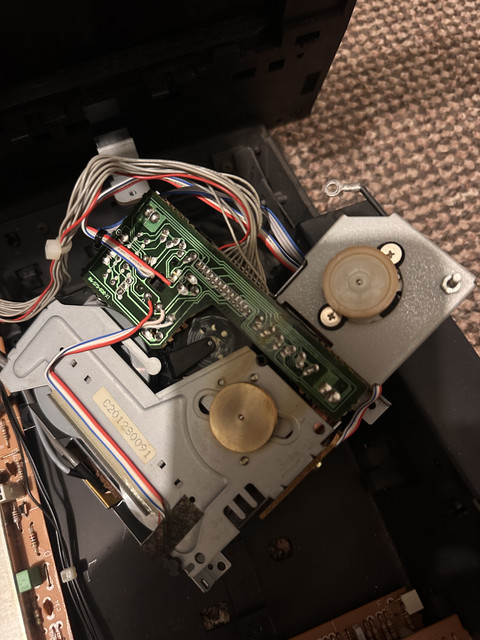
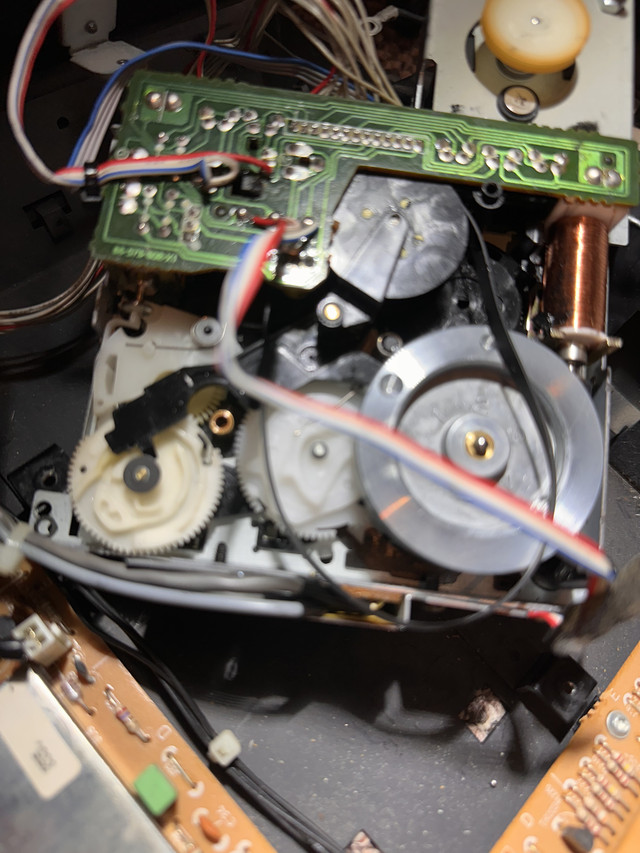
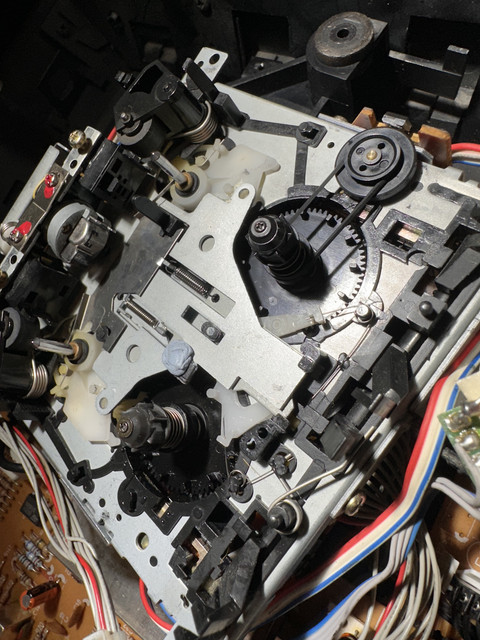
29 November 2025 at 06:18 #71579rjnicko93BRONZE MemberThought I would post some pictures, used a bit of plastic with a ledge on it, glued it down and used blutak to hold it down whilst it dried. Now working perfectly.
Here is a video of it playing – https://youtube.com/shorts/r2hshdjFfBA?si=lE8IosIFmINAA4_W
Location: United Kingdom
Favourite Product: Beomaster 6000 Quad
My B&O Icons:
29 November 2025 at 07:35 #71583Excellent – I’m glad it worked, and glad it sounds so good. Few made tape decks like B&O.
Location: Liverpool
My B&O Icons:
-
AuthorPosts



- You must be logged in to reply to this topic.