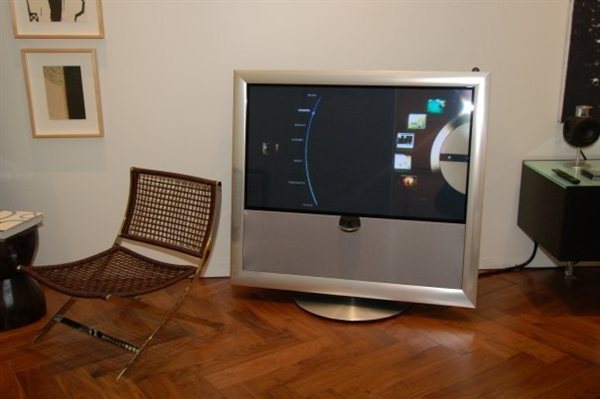
How was connected beosound 5 with beovision 9 to schows a twin picture ?
Regards?
Thank you to our Sponsors
How was connected beosound 5 with beovision 9 to schows a twin picture ?
Regards?
looks ... interesting 😁
but ... I don't know the answer 😂
Edit. Deleted . Original post posted in wrong thread accidentally.
Just connect the second DVI out of your BM5, that should be connected to the BS5, to BV9 input and you will get the same picture on the BV9 as on the BS5 - but I`m pretty sure, that you won`t have the wheel onscreen....😁
If I remember correctly, the picture will be displayed with 4_3 resolution - 1024 x 768 - meant for BS5.
Stefan
Just connect the second DVI out of your BM5, that should be connected to the BS5, to BV9 input and you will get the same picture on the BV9 as on the BS5 - but I`m pretty sure, that you won`t have the wheel onscreen....😁
Absolutely right! But there is a solution, as Carolpa already mentioned, to get this kind of picture:
Make a picture of your BS 5,
maybe a little bit of photoshopping,
display the picture on the the screen 😁
I found these pictures on facebook, bang olufsen america. to an event.
I cannot believe that they are using photoshop .😂
I cannot believe that they are using photoshop .😂
... a decent photographer won't even need photoshop to get a picture like this - ready to be shown on a HD-TV.
You must be logged in as a BeoWorld member to post replies to forum threads.

Register to access the forums, reference material, and exclusive member benefits — including our monthly prize draw.
Become a Member