Beovision 5-42 upgrade/replace screen

48 replies

Hi,

the Lintronic will receive B&O infrared codes from the remote control and send the proper LG code to the TV.

The reason for the RCA/Phone >> Dual SCART is the following.


Pressing Beo4 "TV":

- Will turn on the BV5 (which does not know its got a new screen). The BV5 TV tuner will turn on

- Lintronic will turn on the LG TV and switch to the VGA input.

Result: I will be able to get the native TV menu for connections, stand setting etc. on the screen and change them if needed.


Pressing Beo4 "DTV"

- BV5 will switch to Scart socket AV2. It will only receive sound from the LG. 

- Lintronic will switch to its build in TV tuner as source.

Result: Volume Up/Down will be handled by the BV5.  Lintronic will handle all needed IR commands to control the LG TV


Pressing Beo4 "V.TAPE"

- BV5 will switch to Scart socket AV3. It will only receive sound from LG (that is the reason for RCA >> dual Scart)

- Lintronic will switch to LG HDMI 1.

Result: A raspberry pi with KODI media center is connected to HDMI 1. Volume Up/Down will be handled by the BV5


Pressing Beo4 "DVD"

- BV5 will switch to Scart socket AV1. It will operate a Beocenter 2 (with DVD) via masterlink / scart

- Lintronic will switch LG to VGA to receive the native picture from the BV5. Just like the Panasonic plasma screen would have.

Result: Hopefully a decent picture via VGA..... If not... I might connect the Beocenter Scart to the LG Scart and reprogramme the Lintronic to select that socket instead.... We'll see.


In theory... that should work... Hopefully I will know by end this week.

I also need a way to get access to the CI+ slot of the LG TV. So I might have to cut a hole in the BV5 chassis.


Keep you posted.
OK, I see! Interesting!!

From my perspective

I will only use Apple TV as a video/audio source, maybe playstation also.. only HDMI sources thou.

My plan/thoughts:

-Connect Bv5 VGA to new TV VGA (to reach Bv5 sound menu only)

-Output sound from new TV to BV5 scart AV2

My intended usage:

-Press SAT Beo4, BV5 turn on AV2, power on spk amp, volume to be changed by beo4

With New tv remote, 

-press ON to turn on screen. 

-Select source between HDMI and PC/VGA (Bv5 menu)

-adjust picture settings


Apple TV remote Will be used mainly..

This would be fine by me if it works! Its ok for me to use the new tv remote for features.

Do you think I need a linktronic than?

I guess you plan to remove the new screen and inputs from its chassie? or will you basicly try to fit the complete tv into the Bv5? Maybe IR on new tv needs to be moved than.. 😂

How do you plan to do with power for the new panel?

Hi

The front of the LG is completely flat. So I hope it will fit without further changes.

I will try to cut a hole in the back of the speaker cover to allow infra red to pass through. The Lintronic will be placed behind that hole to receive (from Beo4) and transmit (to LG).

I will get a power strip inside the BV5 cabinet to supply TV, Lintronic, Raspberry etc. 

You don't 'need' the Lintronic, but I am a fan of it, and it will keep the Cool-Factor of B&O intact.


Hi!

Great! 

I found this, could be helpful removing the frame and the panel on the bv5, especially in the end of pdf!

DONE ! 

Upgrade to Full HD panel was a success

Frame removed. Followed instruction in service manual. Pull off at the B&O logo first. Remove ground cable from frame. Pull of the frame.


Removed speaker cover.


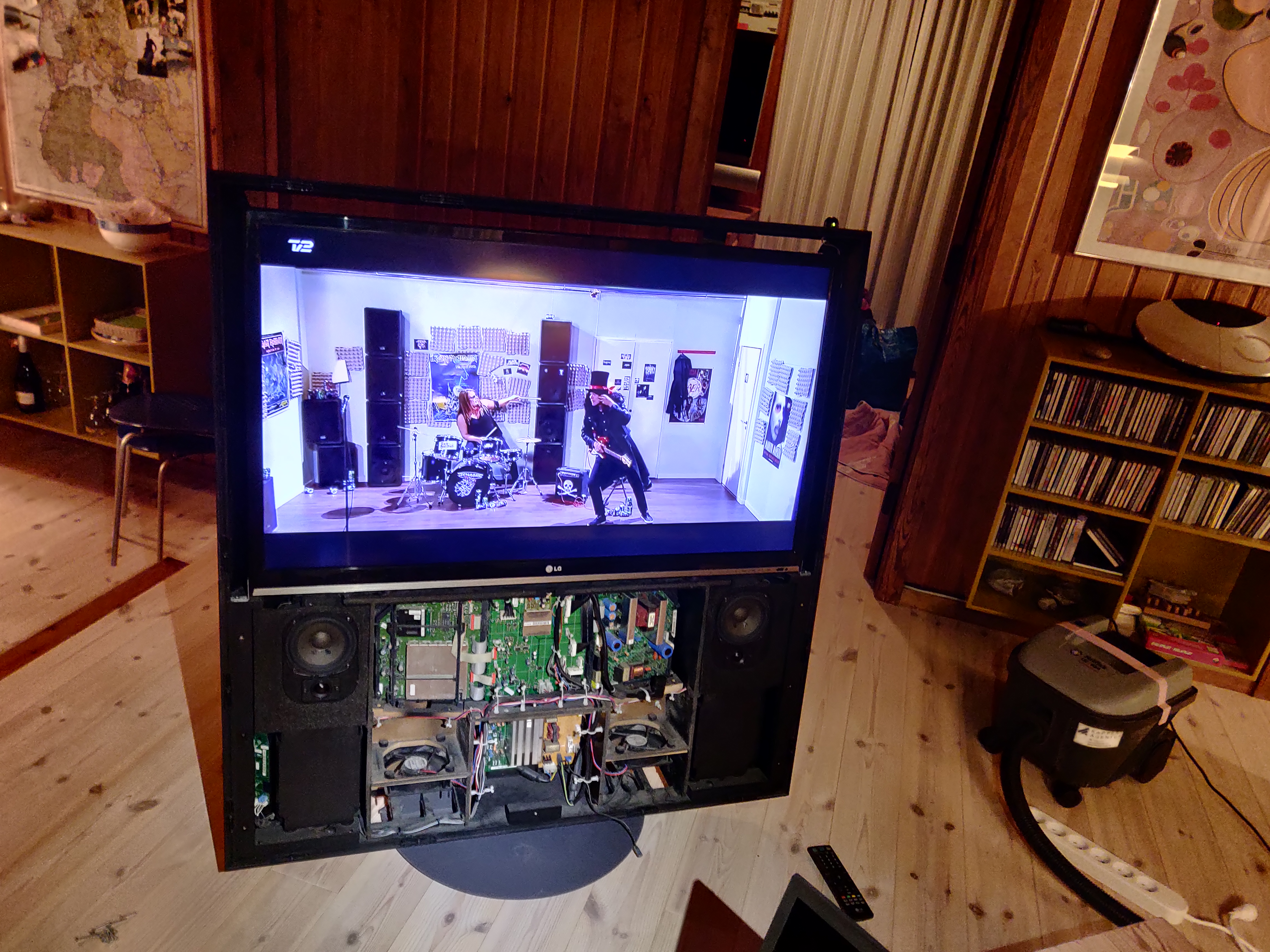
Inside the BV5.


4 bolts in the back. See service manual.


2 bolts in the front. See service manual.


Out goes the plasma screen... It is HEAVY... I put a table just in front of the BV5. It's heavy and cables are short (power, serial, vga). Not a one-man-job..


Screen is out.


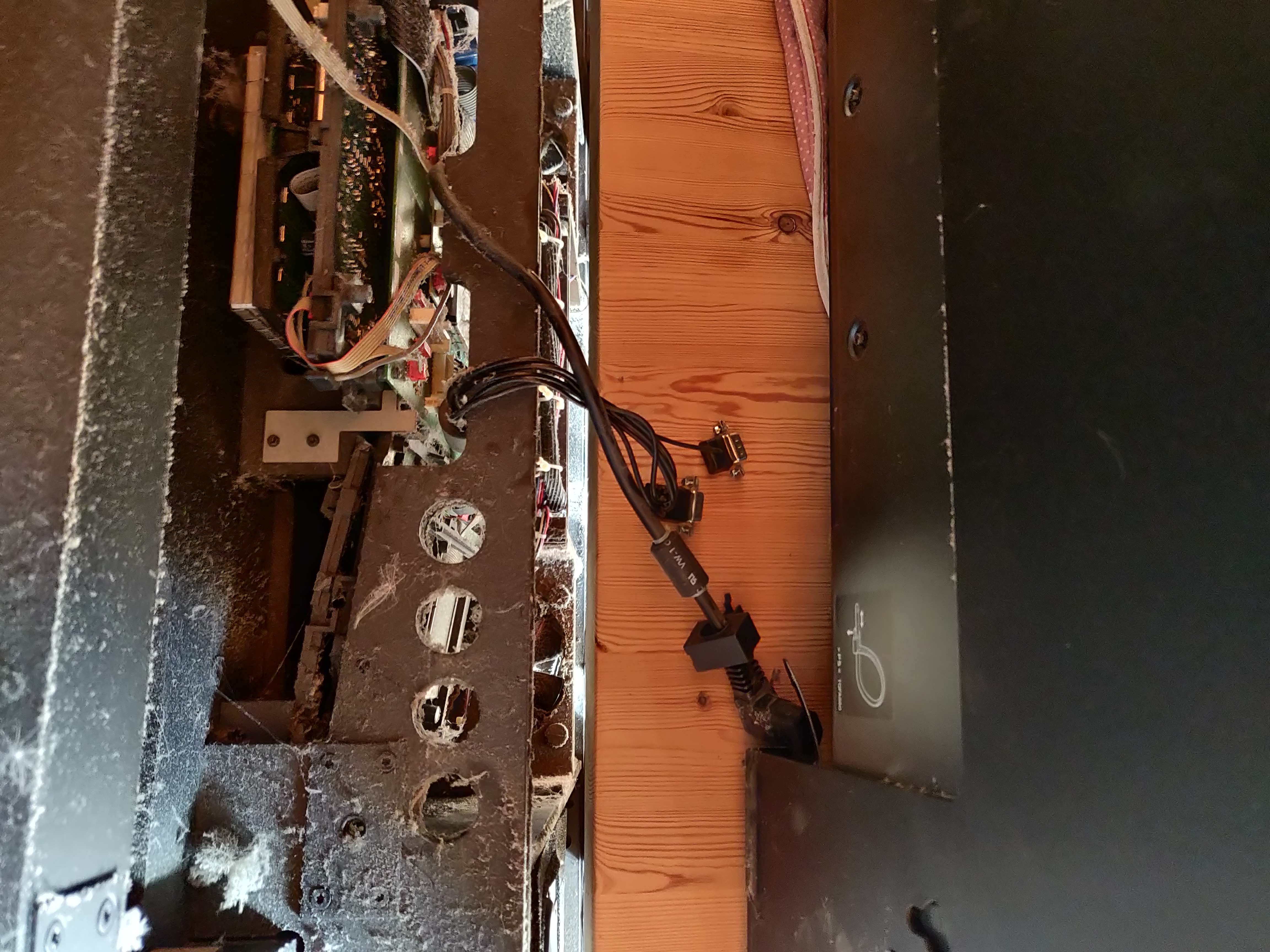
Drilled a hole in the back allowing new cables in the cabinet.


Lintronic in place. New brackets will keep new LED in correct position.


Preparing…..


LG has moved in.


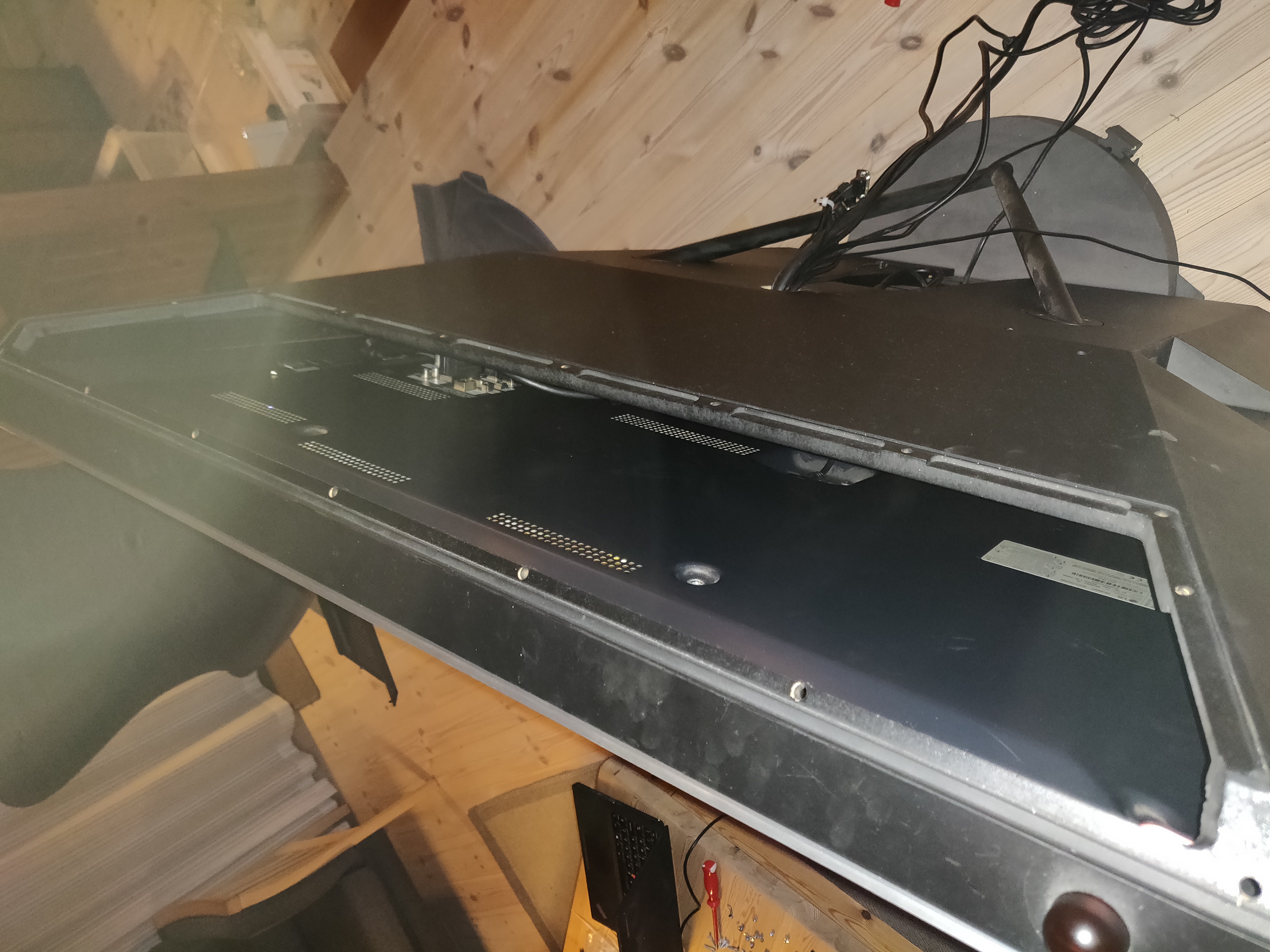
Back cover was removed from the inside. Screws will not go back in. Now there is easy access to the cabinet. The back cover can simply be pulled up/lout and put back in again.


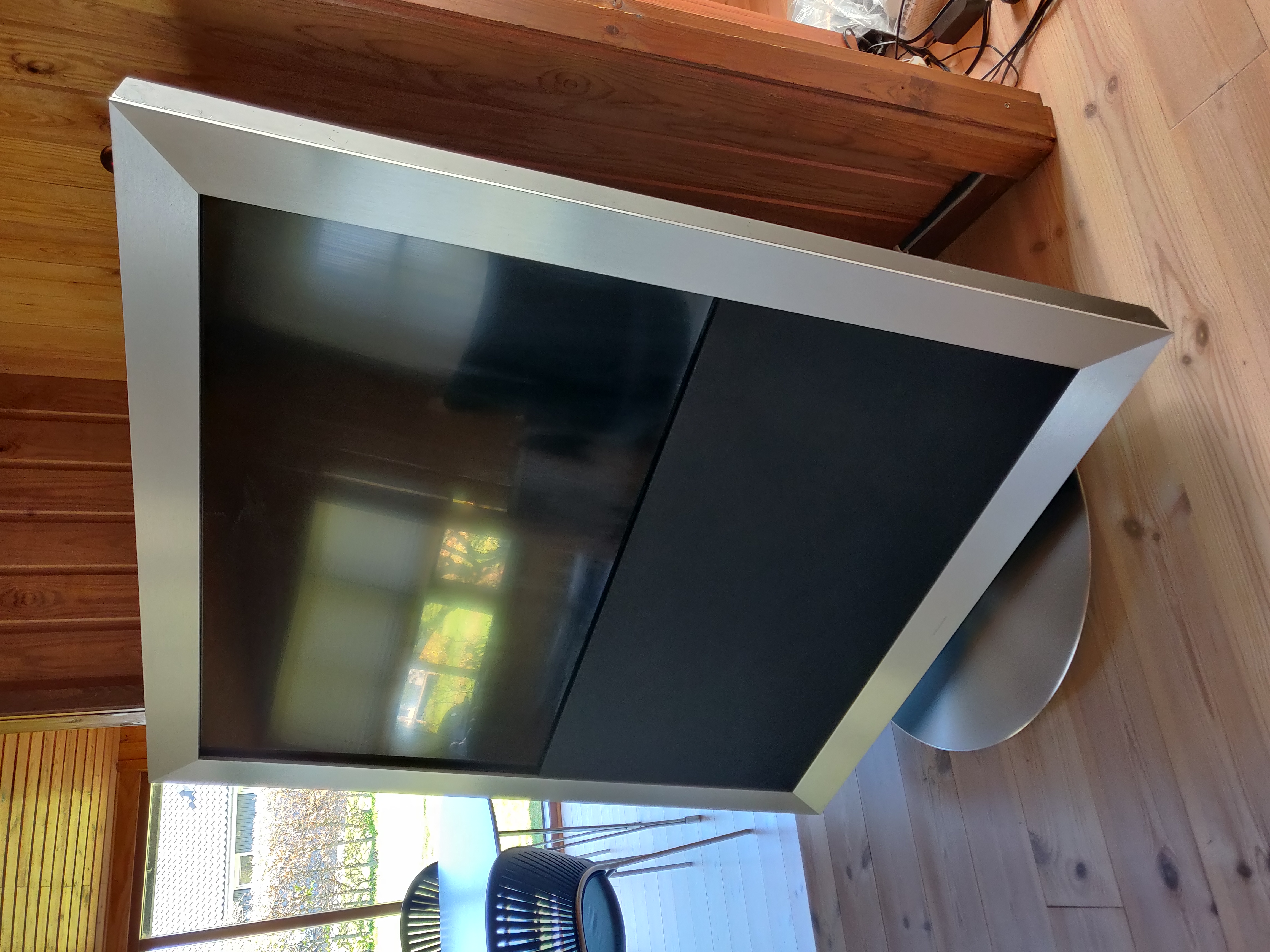
More beautiful than ever. The panel is now BLACK. Not greenish or greyish… Matching the speaker cover. 

Upgrade to full HD panel is a success. Full Beo4 operation thanks to Lintronic.

However... I do currently not have access to the legacy BV5 menu. The new LG does not understand the signal coming from the VGA cable in the BV chassis. Will have to look more into that later...


Wow, this is amazing. This is the best upgrade project I have ever seen in my life! The most iconic beovision design IMHO now upgraded to 4K. I don’t believe the new 4K TVs can accept a VGA signal. The black LED looks much better than the old plasma, plus the glare is less. Congrats!

Wow!!! You did it! 💪💪 Impressive! Congrats to your new upgraded BV5! Also a great instruction!

regarding the VGA output, couldn’t you test with a VGA/RCA or VGA/HDMI converter?

Great inspiration! 

The power suply cable you loosend from the panel, does it feed both the panel and the speaker amp (Y-Cable) Or how do did you solve power to the amp?

Hello! 

Do you still have the old panel? What dimensions does it have? Width/height.. looking for a donor tv but was curious about the dimensions..

See a risk buying a tv with too thick framme, especially at the bottom.. Can you measure the old panel from the bottom up to the lower edge of the screen?

or
BeoWorld Gold Membership card
Join BeoWorld

Register to access the forums, reference material, and exclusive member benefits — including our monthly prize draw.

Become a Member

December 2026 Prize Draw

Gold Members Only

As a Gold member you're automatically entered into our exclusive prize draw — your chance to win iconic Bang & Olufsen products. A unique benefit of BeoWorld Gold membership, every draw brings a new opportunity to win something special.